Markit for Android
Create lists, save words and phrases, listen to pronunciations, study with review modes, and keep your data on your device.
Get Markit on Google Play →I build focused tools that help language learners save useful words and phrases, revisit them at the right time, and turn everyday reading into practice.
A personal language-learning system for collecting vocabulary from the material you actually read and practising it later.
Create lists, save words and phrases, listen to pronunciations, study with review modes, and keep your data on your device.
Get Markit on Google Play →A Chrome extension for saving language from web pages and PDFs, with local lists, listening tools, and practice modes.
Get Markit Highlighter for Chrome →From a new list to a completed review session, Markit helps you collect useful language, revisit it deliberately, and understand your progress.
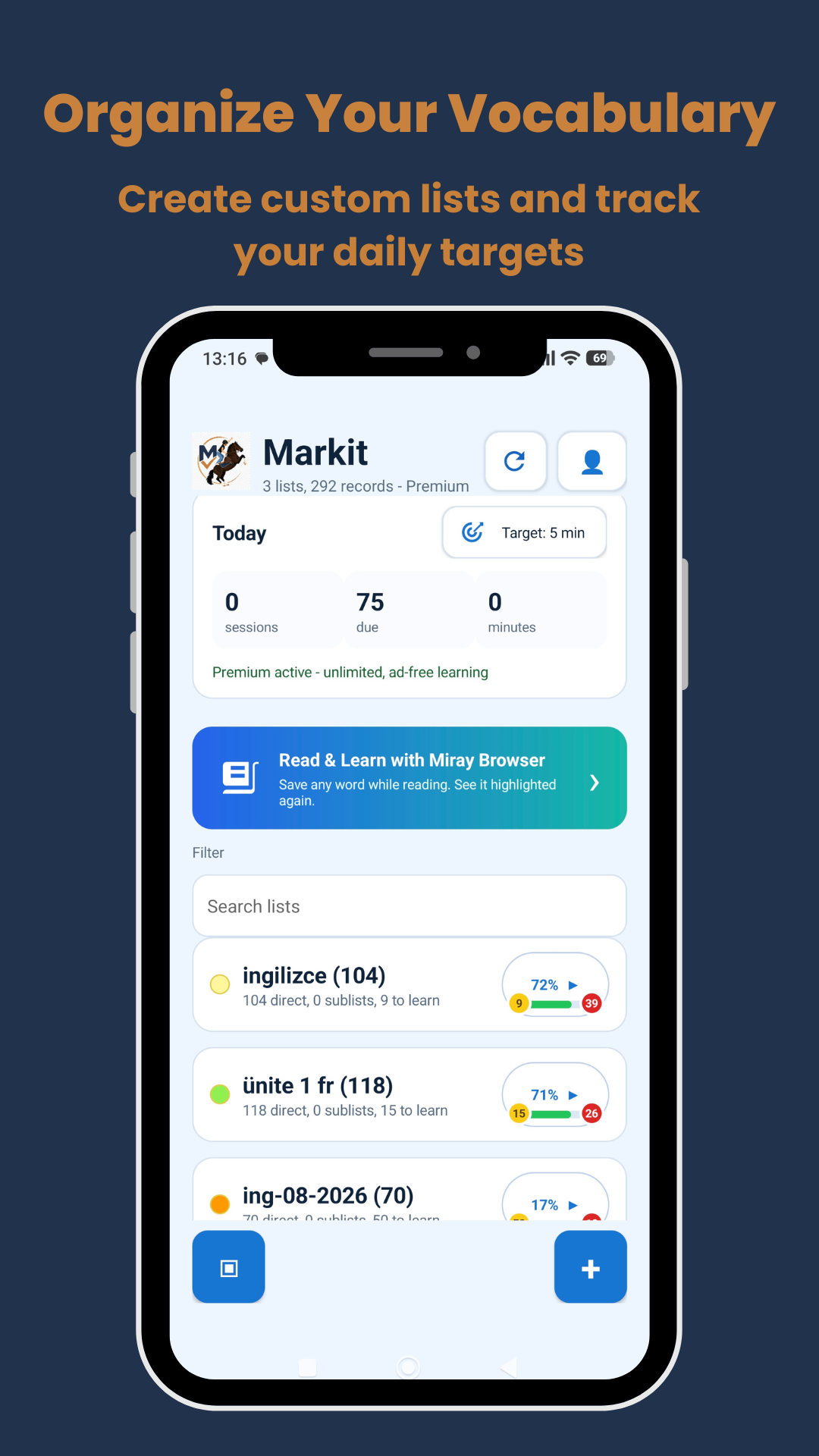
Create personal lists, see what is due, and set a daily learning target that works for you.
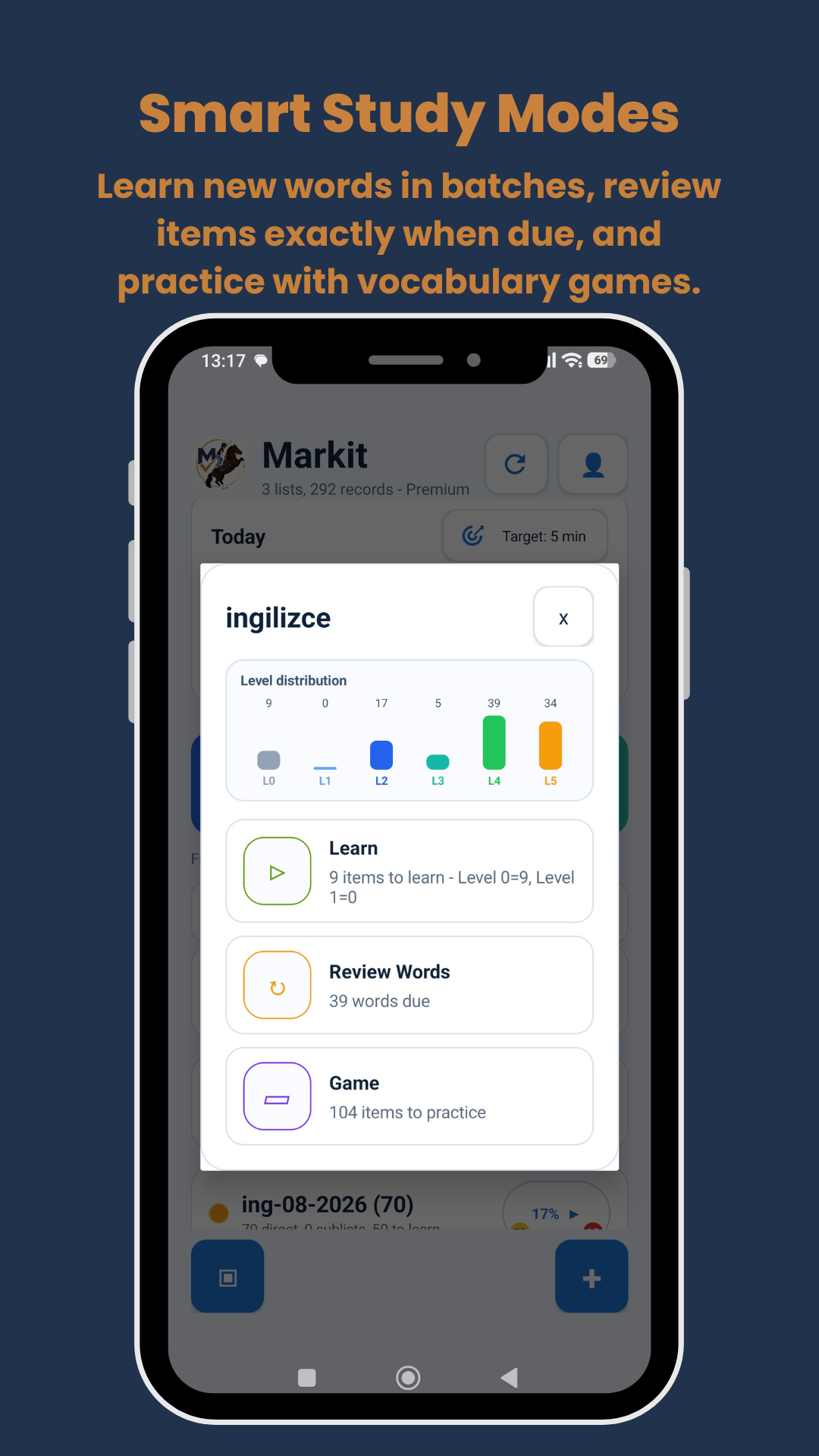
Learn new records in batches, review records when due, or practise a whole list in game modes.
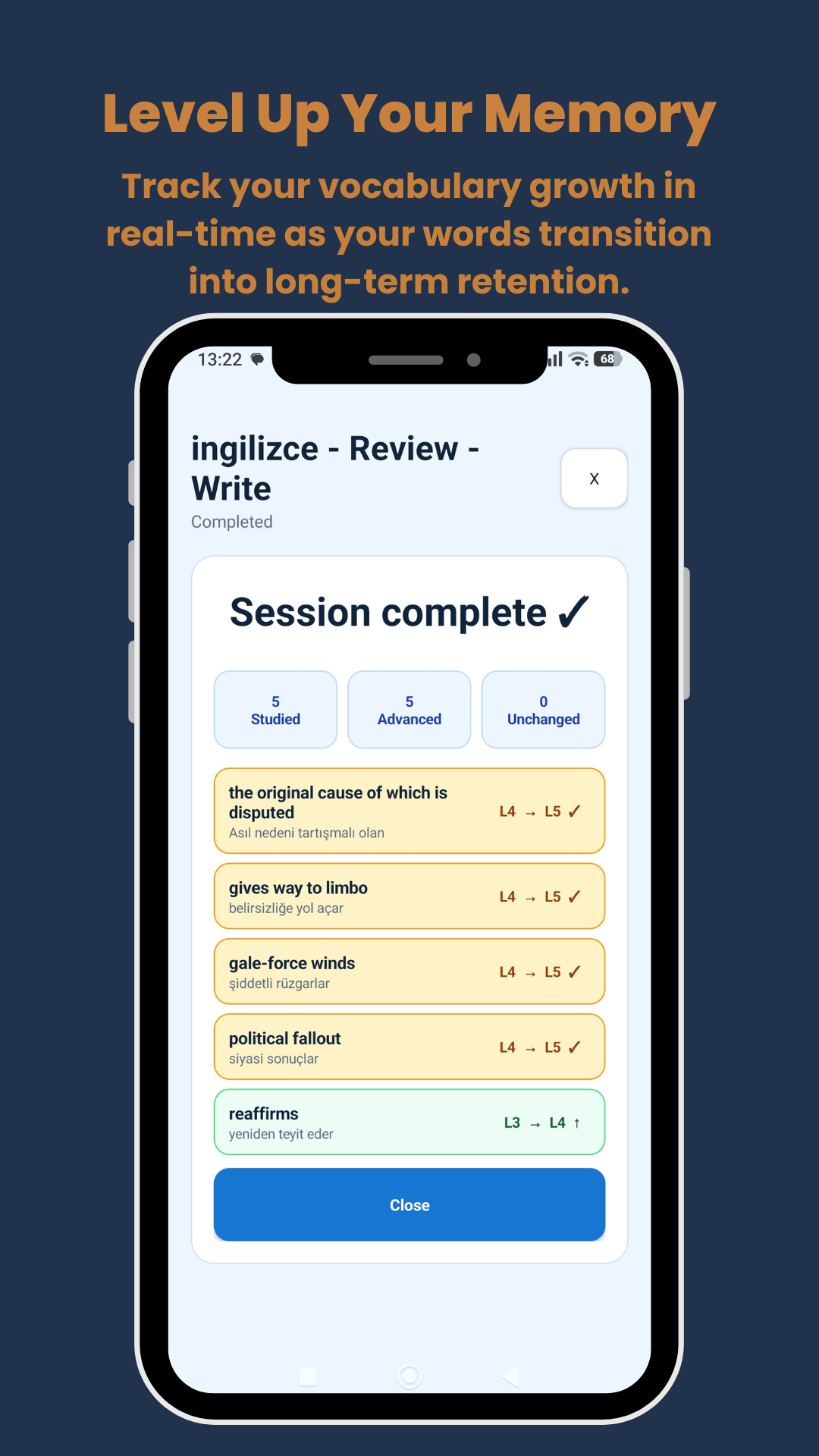
Successful answers advance records through levels, making your growing knowledge visible after every session.
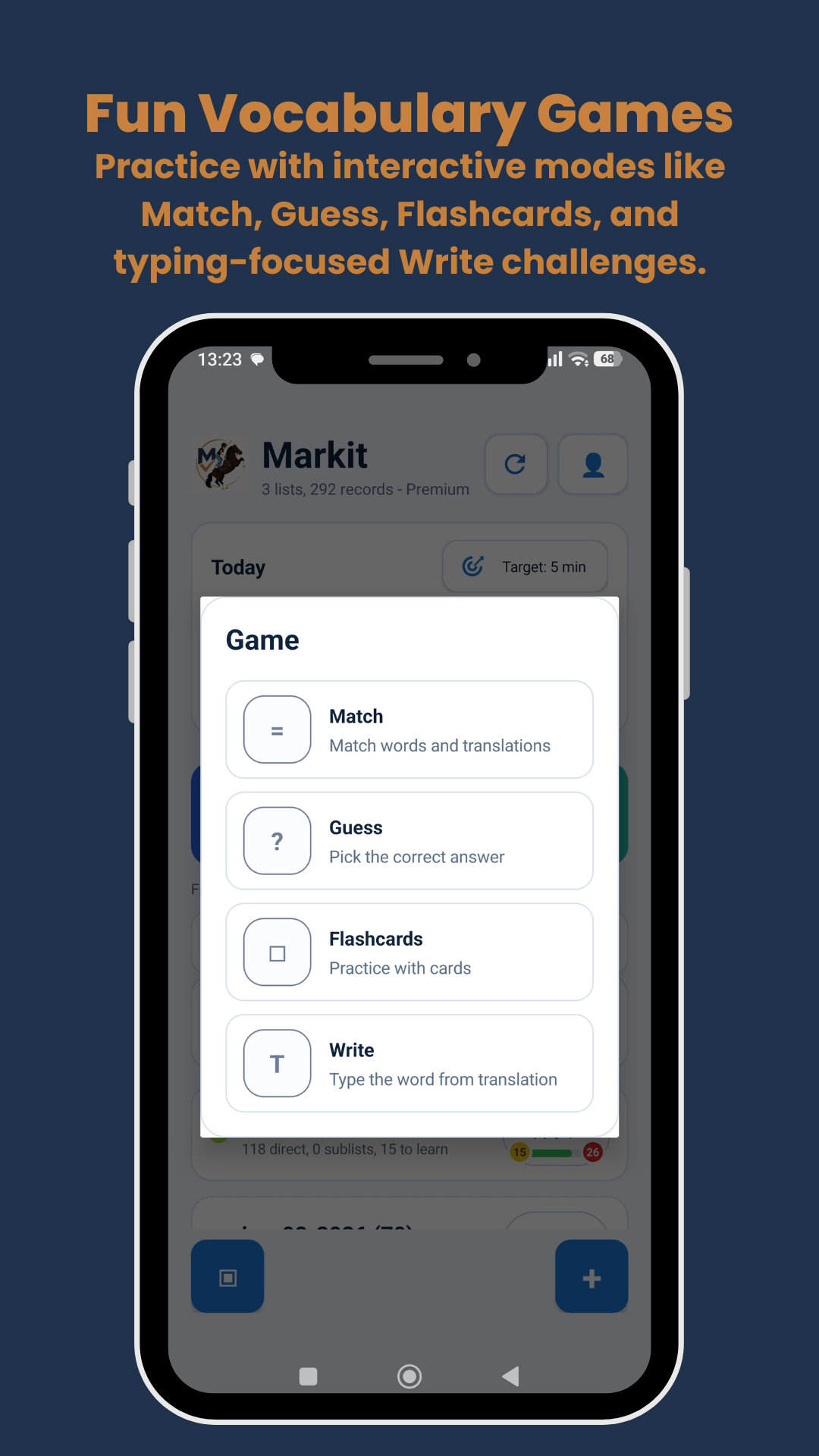
Use Match, Guess, Flashcards, and Write to practise in different ways and keep sessions engaging.
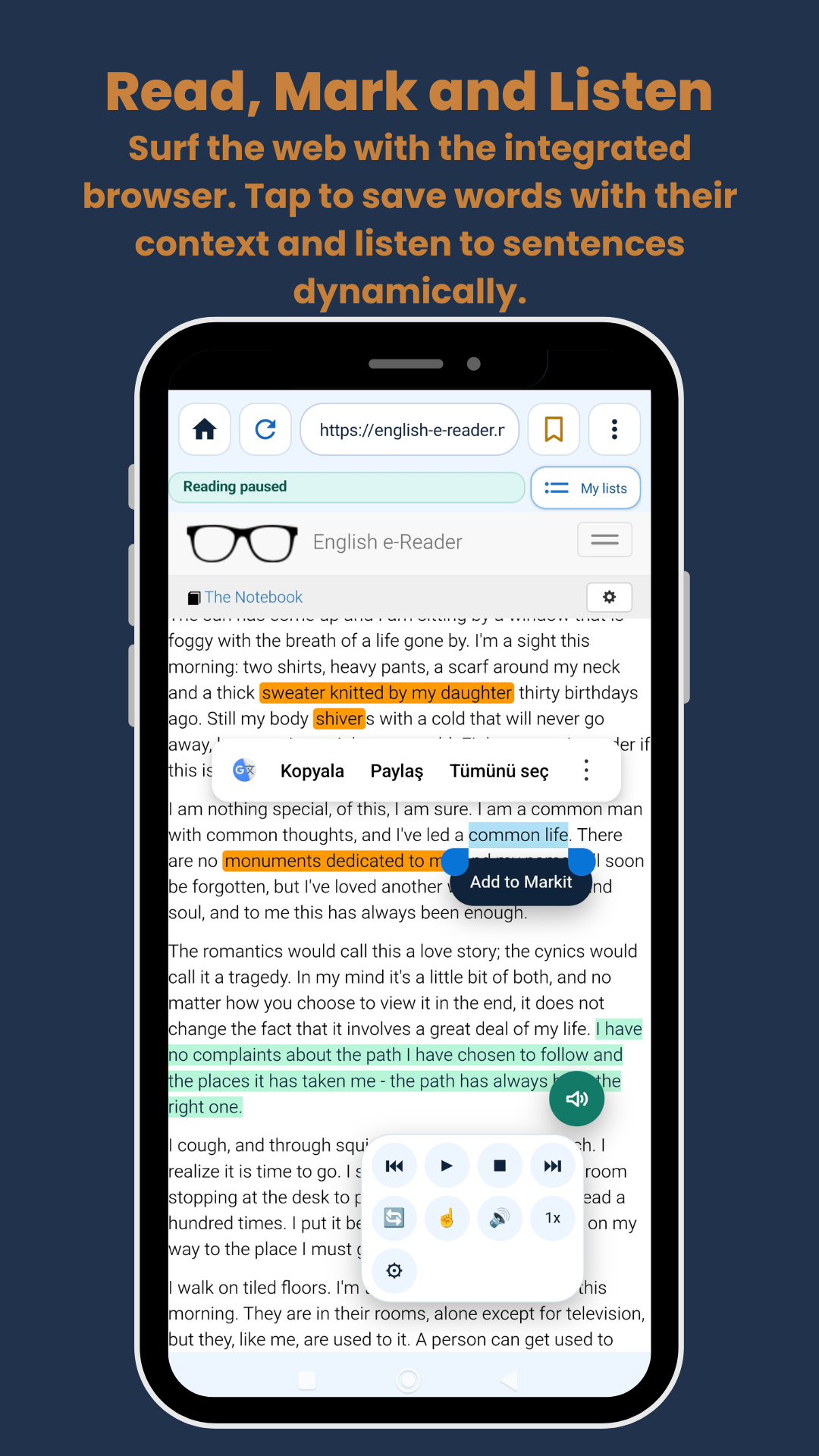
Use the built-in Miray Browser to save language from web pages, keep its context, and listen as you read.
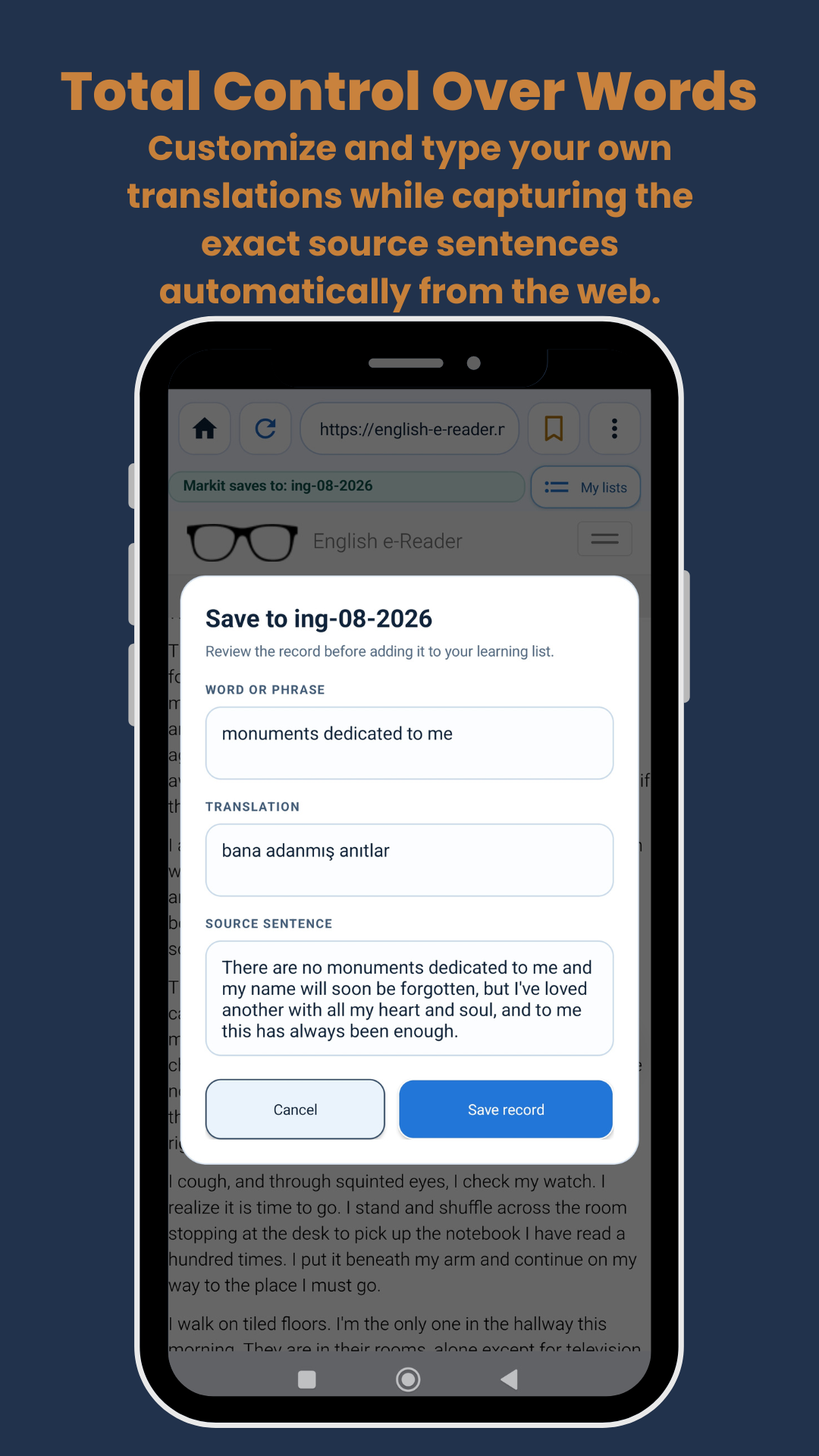
Edit the word or phrase, write your own translation, and keep the original source sentence before saving.
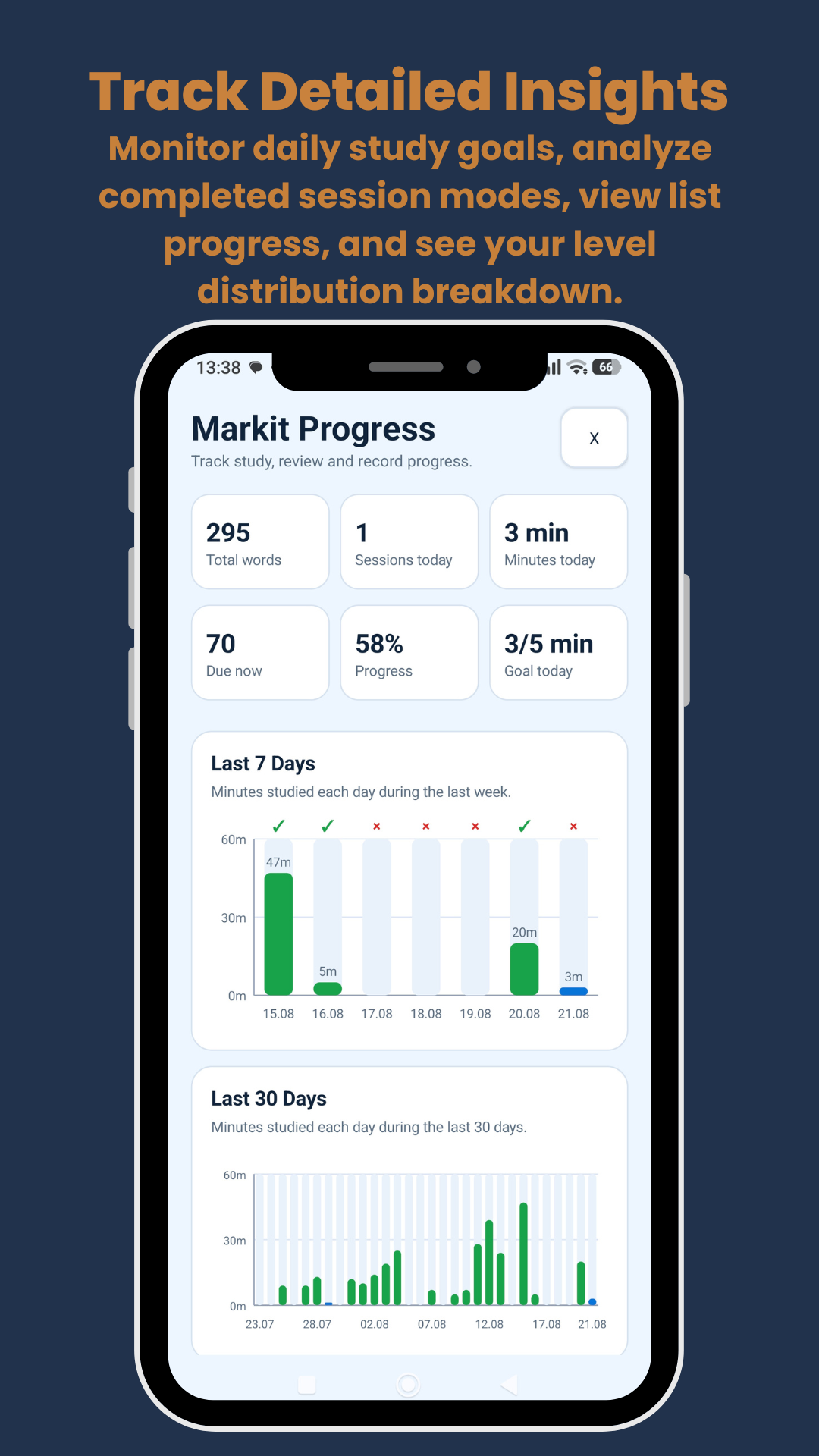
Follow your daily target, time studied, due records, completion rate, and progress over the last 7 and 30 days.
Highlight a useful word or phrase on a web page, keep its context, listen at your own pace, and add it to the list you are studying.

Use the floating reader controls to play, pause, repeat, adjust speed, and follow the text as you read.

Select the language you want to remember and add it directly from the page without losing your place.
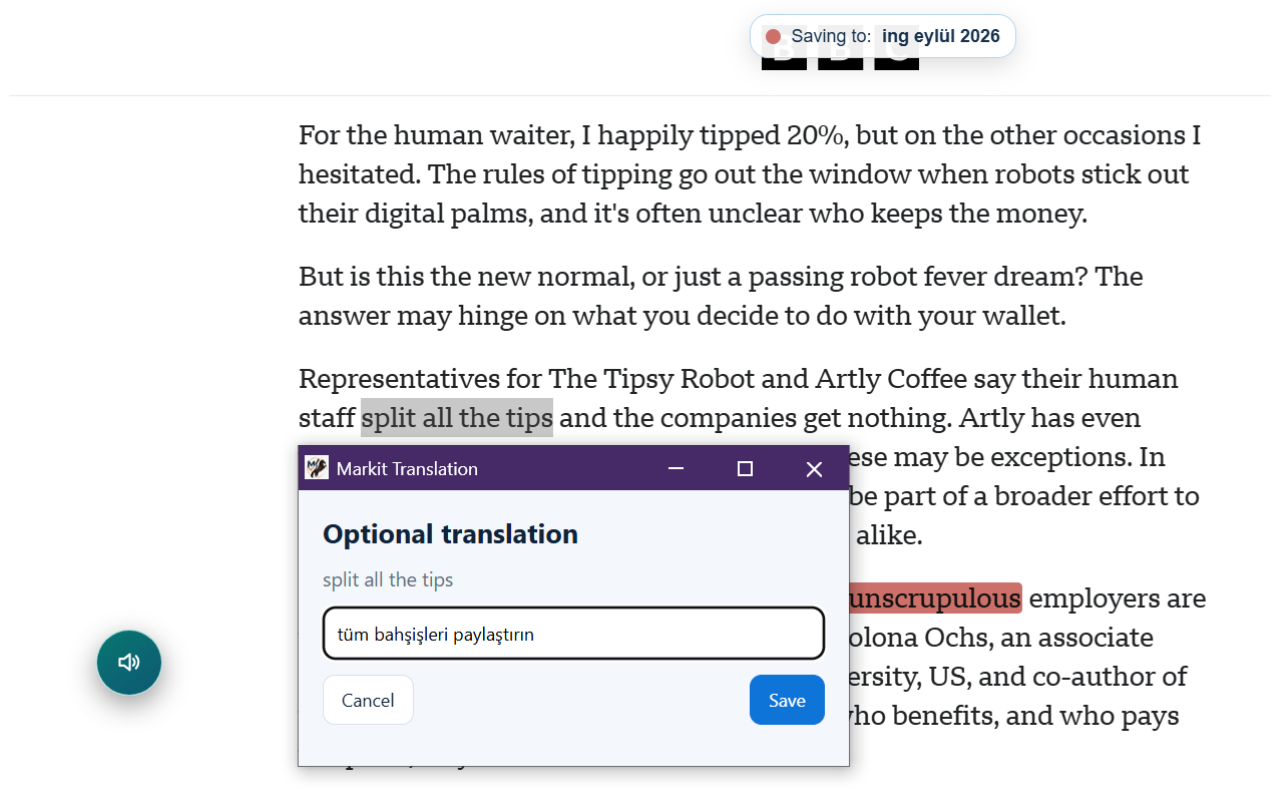
Review the selected phrase, write a translation, and save it with the source context for later practice.
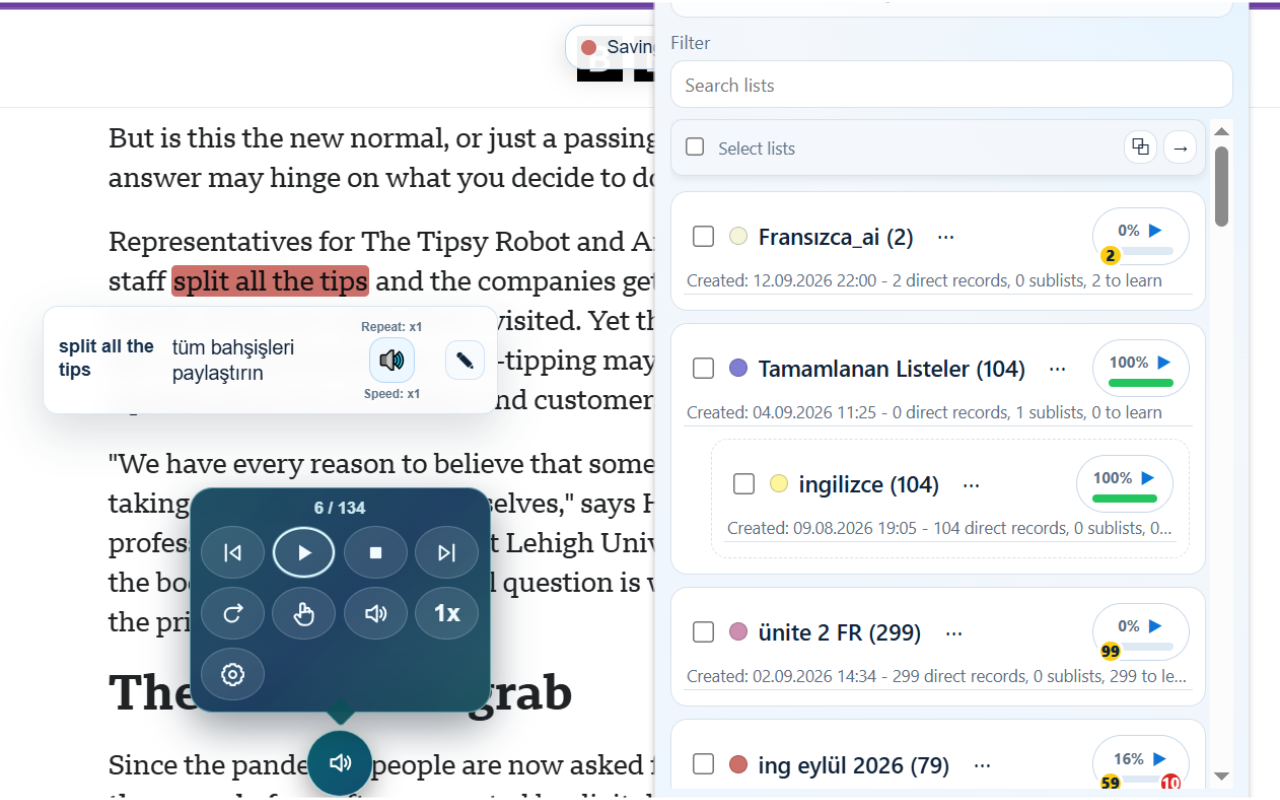
Choose where each record is saved, browse your lists, and see each list’s learning progress at a glance.
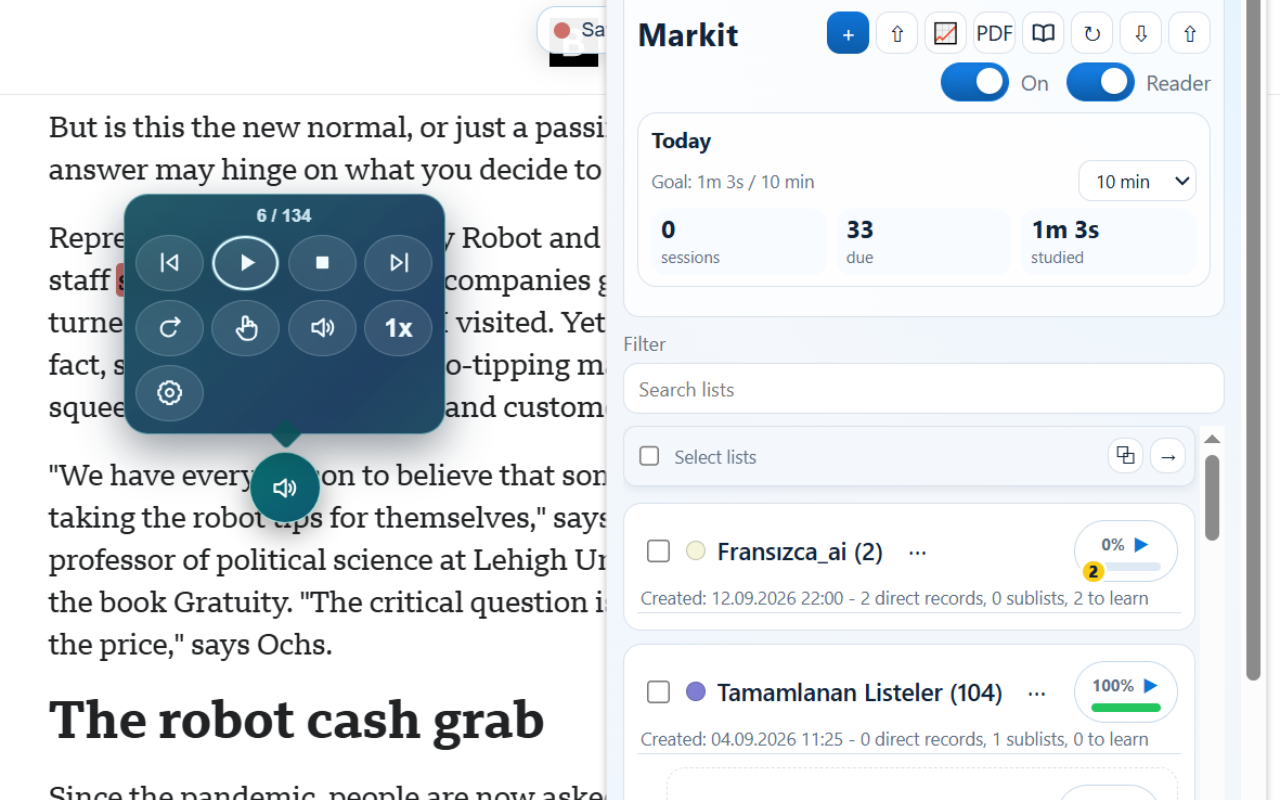
See today’s goal, due items, and study time alongside your saved lists—then move from reading to practice whenever you are ready.
Read how Markit handles data and what stays stored locally on your device or Chrome profile.
Privacy policy →Step-by-step guides for the Android app and the Chrome extension.
Open Android guide →Use the guides first, then get in touch if you need support or would like to share feedback.